The ParkApp wallet is now available
The ParkApp app now has a wallet. Top it up once and pay for your next parking sessions with a single tap — no BLIK code to type in and no trip to your bank.
Coming soon — thanks to the wallet — we will launch continuous parking. You will not have to give an end date for your parking. Just drive in, start a session and that’s it. But that is for the near future!
How do I pay with the wallet?
- Book your parking just as before.
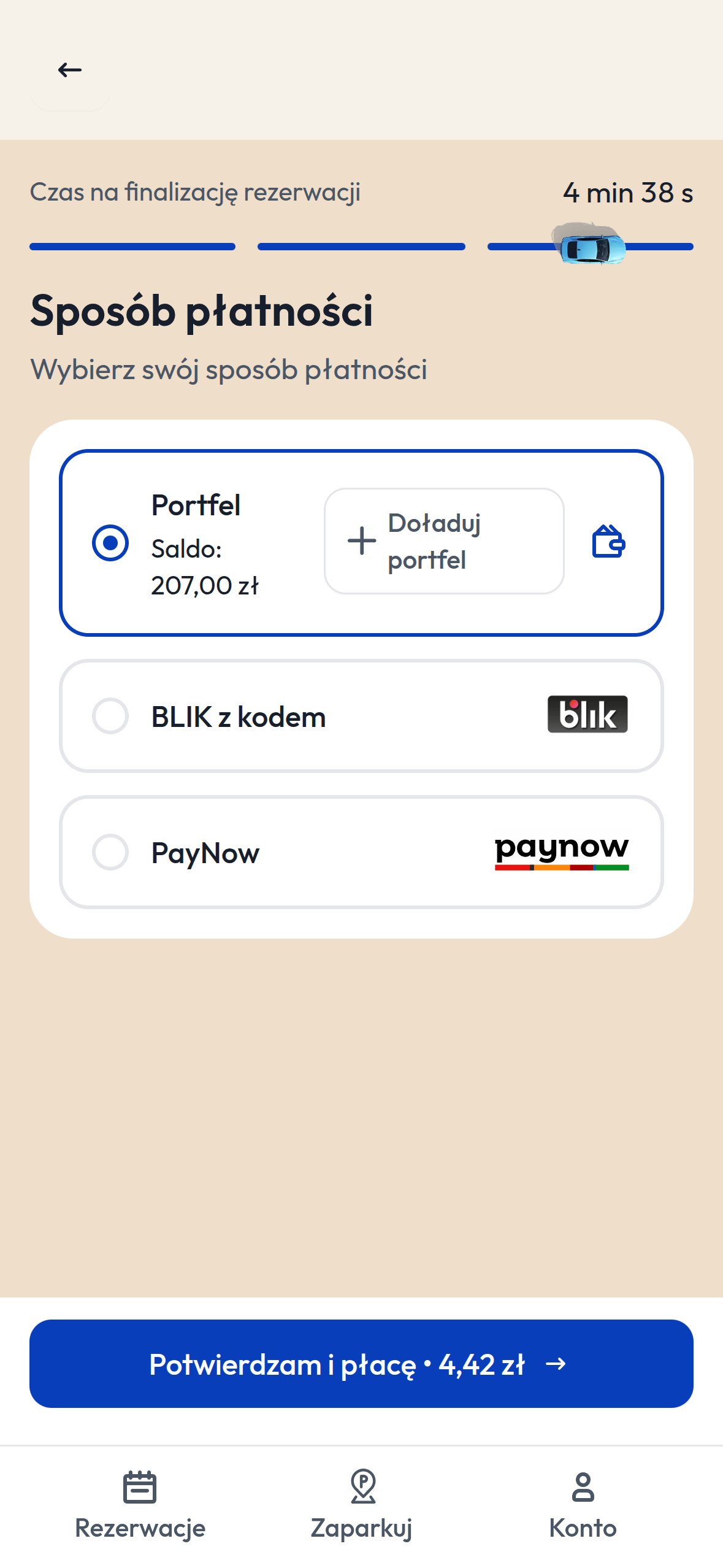
- On the “Payment method” screen choose “Wallet” — you will see your current balance straight away.
- Tap “Confirm and pay”. The fee is taken from your wallet.
Not enough funds? The “Top up wallet” button is on the same screen, so you do not have to interrupt your booking.
Where do I check my balance and history?
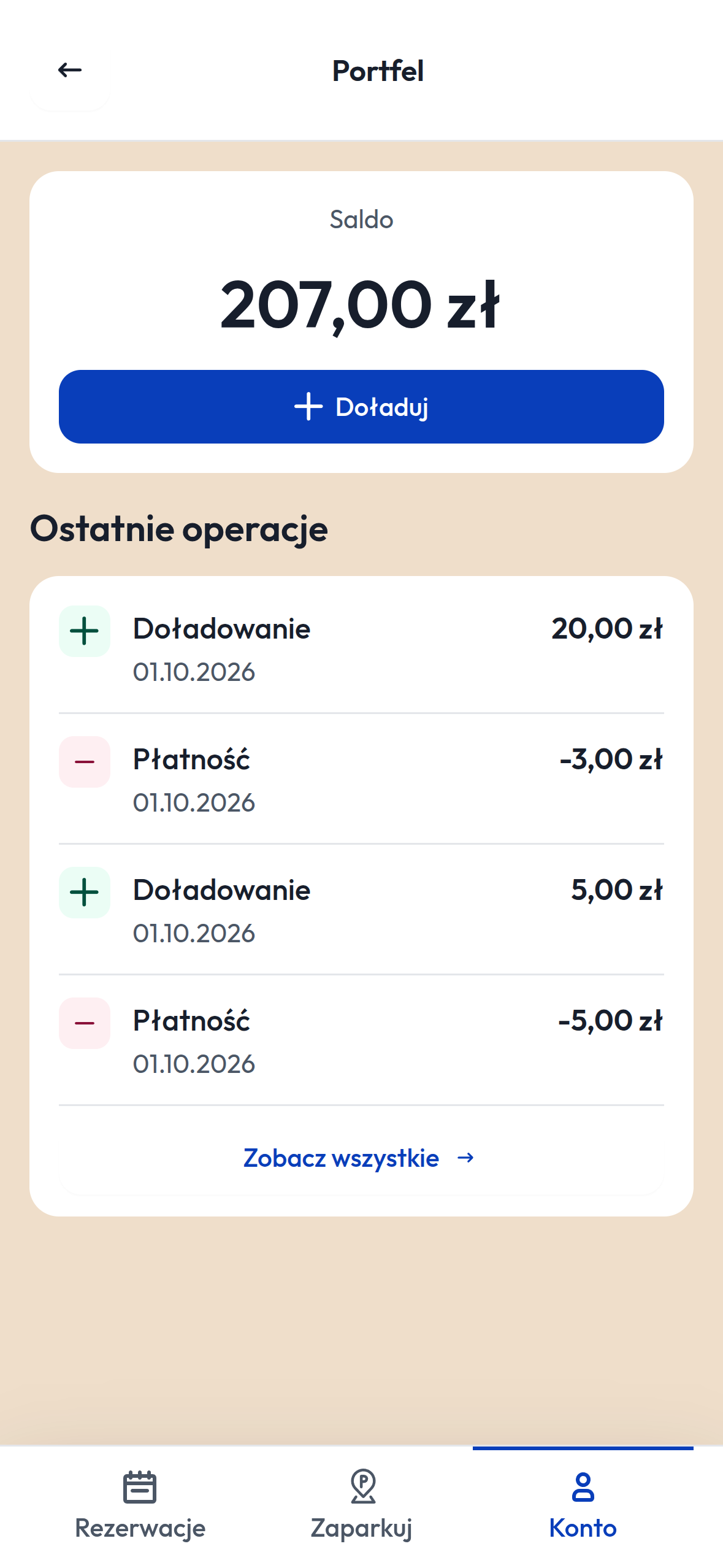
Open the “Account” tab and go to the wallet. There you will find:
- your current balance,
- the “Top up” button,
- recent operations — top-ups and payments with their dates and amounts.
Why is it worth it?
- You pay faster — one tap instead of authorising every payment in your bank.
- Everything is in order — you see all your top-ups and payments in one place.
- You lose nothing — BLIK and PayNow are still available, and you choose the payment method with every booking.