7-, 14- and 28-day packages now available
If you own a car park, you can now add 7-, 14- and 28-day packages to your price list. It is a simple way to attract regular customers and secure steadier revenue.
How do I add a package?
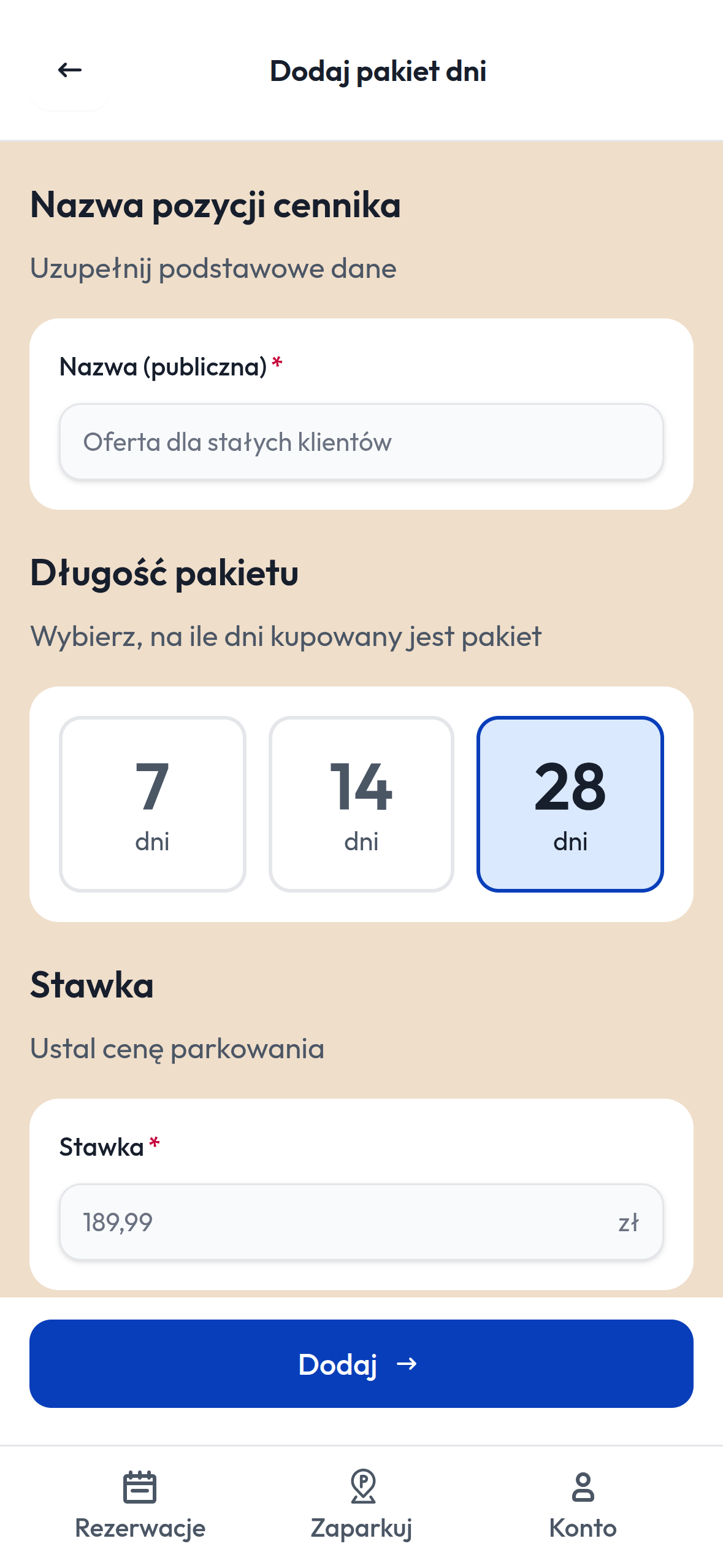
- Open the ParkApp app and go to your car park.
- Open the price list and choose to add a day package.
- Give the package a name — drivers will see it, e.g. “Offer for regular customers”.
- Choose the package length: 7, 14 or 28 days.
- Set the price for the whole package and tap “Add”.
The package appears in your price list straight away.
Who are packages for?
For drivers who park with you regularly — commuting to work, university, hospital or a building site. Instead of paying for each day separately, they buy one package and are covered for one, two or four weeks.
Why is it worth it?
- Regular customers come back to your car park rather than going to the competition.
- You are paid up front for the whole period.
- You set the price — you can offer a better rate than for single days.
- There is nothing for you to handle — the driver buys and pays in the app.
What’s next?
We will soon add the option to renew a package automatically. Drivers will no longer need to remember to buy the next one — the package will renew itself.